10 Social Media Analytics Tool Picks for 2026
Compare 10 social media analytics tool options for reach, conversion, cross-platform measurement, reporting, and practical team use in 2026.
Upkeep · 2026-09-01 · 58 min
The biggest social media analytics tool is not automatically the best one. Teams waste time comparing dashboards that were built for different jobs, then wonder why one platform feels “better” even though it can't answer the question they need answered. The first decision is simpler and more important, do you need pre-publish reach guidance, follower conversion analysis, owned-channel reporting, competitive benchmarking, social listening, or unified paid-and-organic measurement?
That distinction matters because the market itself has matured into a major software category. One report estimates the global social media analytics market at USD 10.23 billion in 2024 and projects USD 43.25 billion by 2030 at a 27.2% CAGR from 2025 to 2030 (Grand View Research). Another study places the market at USD 9.32 billion in 2025 and expects USD 24.42 billion by 2031 at 17.42% CAGR (Mordor Intelligence). Those forecasts point to the same conclusion, analytics is no longer a post-campaign add-on, it's core infrastructure.
The list below moves from creator-focused publishing intelligence to broader team and enterprise systems. That progression is deliberate, because a tool that helps you shape a draft before publish time solves a different problem from a platform that standardizes reports across regions or unifies paid and organic data. If you match the tool to the decision, the workflow gets clearer fast.
Table of Contents
- 1. Yubook
- 2. Metricool
- 3. Iconosquare
- 4. Rival IQ
- 5. Socialinsider
- 6. Hootsuite Analytics
- 7. Sprout Social
- 8. Emplifi Social Marketing Cloud Unified Analytics
- 9. Brandwatch
- 10. Talkwalker
- Top 10 Social Media Analytics Tools Comparison
- Match the Tool to the Decision You Need to Make
1. Yubook
Yubook is the most distinct option here because it starts where most tools stop, before publishing. It's built for creators and small teams on X and Threads who want explainable forecast ranges, not just retrospective dashboards, and its public positioning emphasizes draft analysis against public ranking signals, then learning from the result after the post goes live (Yubook).
Where it fits best
For reach insight, Yubook is the clearest match if your real question is, “How likely is this draft to travel before I publish it?” Its browser-based Draft Studio keeps typing on device, then applies public signal analysis to estimate likely reach and engagement in probability ranges. That makes it stronger for publishing intelligence than for broad cross-network reporting, which is exactly why founder-led distribution teams and content strategists may find it more useful than a traditional analytics suite.
For conversion measurement, Yubook leans into follower growth rather than generic engagement vanity. The reply-target queue is designed to prioritize relevance and conversion potential, and the seven-day follower-growth sprint ties visits to follow conversion and repeat visits. That gives you a tighter loop than a dashboard that only says a post was “good.”
For cross-platform comparison, the scope is intentionally narrow. Yubook is built for X and Threads, so it won't replace a multi-network BI layer. The limitation is also the point, it can learn account-specific patterns more thoroughly because it isn't trying to normalize every social network at once.
Practical rule: choose Yubook when your team needs to improve what gets published, not just explain what already happened.
The product also helps close the gap between prediction and reality with performance replay, comparing forecasted and actual results over 72 hours to all time. Yubook says it also supports bilingual English and Korean workflows and offers weekly pricing at $9.90/week or yearly pricing at $249/year through Paddle, which can be practical if you want to test the workflow before committing to a broader system. The site also shows illustrative examples and platform-scale counts, but those are presented as examples, so the more important takeaway is the product philosophy, learn from each post, then feed that learning into the next one.
2. Metricool
Metricool is the most pragmatic choice for lean teams that want broad coverage without paying enterprise prices on day one. It combines analytics and scheduling, and the value story is straightforward, especially if you manage several brands and want unlimited analytics history on paid plans plus native Threads support for both publishing and analytics (Metricool).
One reason it stands out is that it solves a real operational problem, not a theoretical one. Solo creators and small teams often need reporting history, quick setup, and a clean handoff between publishing and analysis. Metricool's transparent plan structure and support for custom reports and Looker Studio make it easier to standardize basic reporting without a long implementation cycle.
Best fit by workflow
For reach insight, Metricool works well when you want a historical view of how posts perform across brands and channels. It's useful for showing patterns over time, especially when the team needs a simple reporting rhythm.
For conversion measurement, the tool is more practical than analytical. It helps teams review performance and connect reporting to campaigns, but it isn't built around predictive follower conversion like a publishing-intelligence product. If your main KPI is post-to-follow conversion, you'll still need to interpret the numbers yourself.
For cross-platform comparison, Metricool does better than many budget tools because it supports Threads and offers reporting that can be shared across clients or internal stakeholders. The limitation is tiering, some advanced functionality sits behind higher plans or add-ons, so implementation needs a quick review of which network and reporting features your team needs.
Internal planning also matters here, and if you're mapping publish-time decisions, the best time framework is a useful companion reference for thinking about scheduling alongside analytics.
The strongest use case is a team that wants one place to schedule, measure, and export reports without turning analytics into a separate project.
Metricool is less about deep interpretation and more about keeping a multi-brand workflow moving. That makes it a solid step up from native platform dashboards, especially if you care about Threads support and a manageable rollout.
3. Iconosquare
Iconosquare is a good fit for brands and agencies that want an analytics-first tool instead of an all-in-one social suite. It supports Instagram, TikTok, Facebook, LinkedIn, Pinterest, YouTube, X, and Threads, and its emphasis on profile analytics and reporting makes it useful when your team cares about measurement discipline more than publishing orchestration (Iconosquare).
The strongest reason to consider Iconosquare is the way it handles owned analytics. It gives brands a broad view across major networks, and it's especially useful when teams need deep profile analytics and paid or promoted post visibility on Instagram. That makes it a better fit than a tool focused only on lightweight dashboards.
Where it wins and where it stops
For reach insight, Iconosquare is solid for understanding how owned channels perform across multiple networks. It's useful for marketing teams that need to explain growth and engagement trends without stitching together native platform exports.
For conversion measurement, the value is indirect. Iconosquare can help you see which profiles and posts are pulling attention, but it doesn't reposition the workflow around pre-publish conversion or reply-led follower growth. If your objective is to connect visits to follow actions, you'll still need a separate process for that.
For cross-platform comparison, Iconosquare is one of the stronger mid-market options because it spans many major networks and supports reporting across them. The tradeoff is that enterprise pricing and custom functionality may require a sales conversation, so larger deployments should validate scope early.
A useful way to think about Iconosquare is as a reporting engine for teams that already know what they want to measure. It is not the best choice if your first need is publishing intelligence or competitor intelligence, but it is strong if you want a broad, dependable owned-analytics layer with reporting depth.
The implementation consideration is simple, define whether you need profile analytics, paid post visibility, or agency reporting before you buy. That keeps the platform aligned to the job instead of turning it into a general-purpose social suite.
4. Rival IQ
Rival IQ is the most useful pick when benchmarking competitors is the decision, not a side feature. Its emphasis on competitive analytics, hashtag and topic analysis, and estimated impressions makes it a strong choice for analysts and agency teams that need to explain performance in context, not in isolation (Rival IQ).
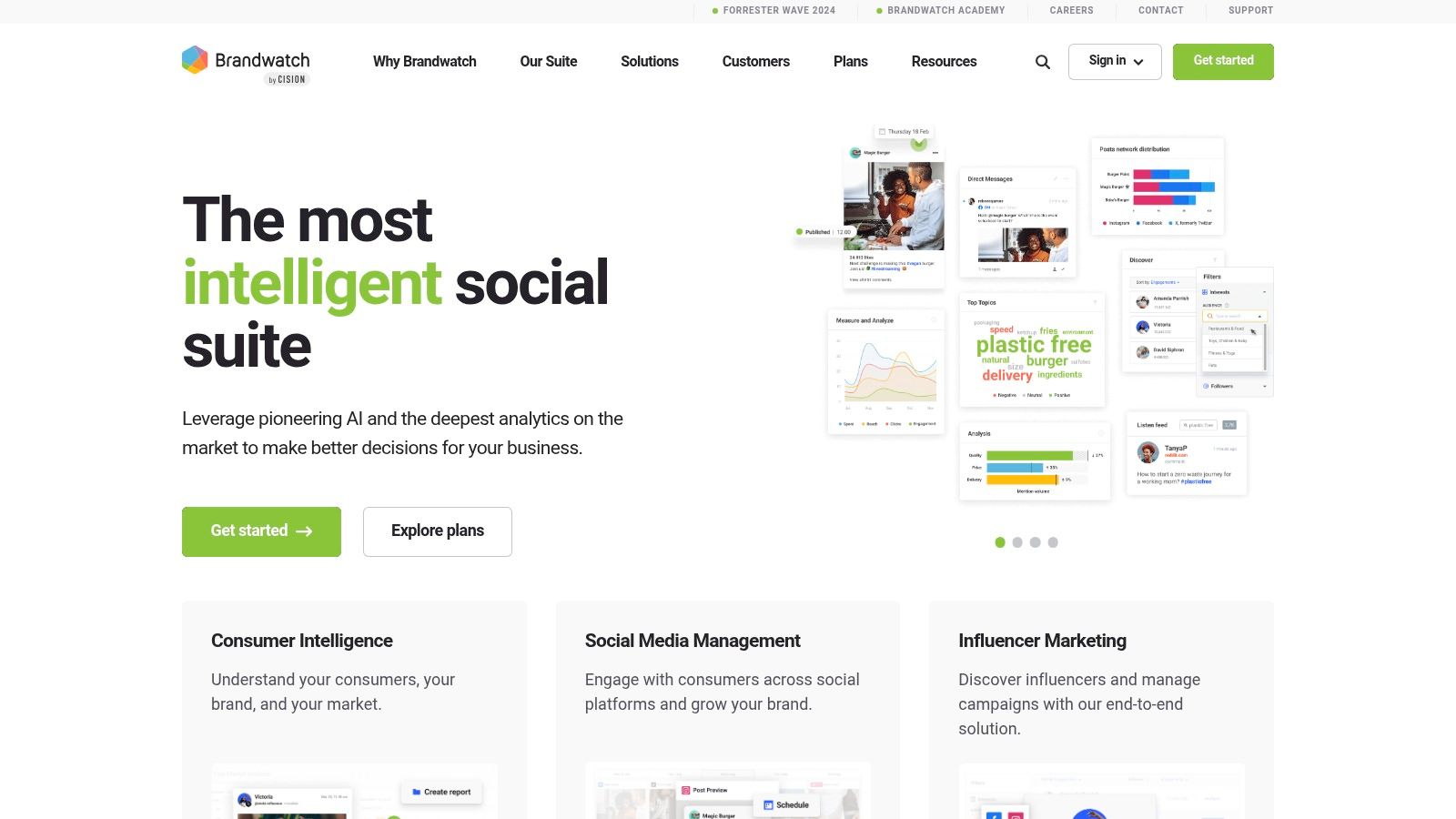
Rival IQ's strength is that it helps teams see what the market around them is doing. If your leadership asks, “Are we winning or just active?”, the tool is built to answer that more cleanly than a native dashboard. It also includes lighter social listening plus export options that fit the way agencies and consultants build decks.
Good use cases and limits
For reach insight, Rival IQ is most valuable when you want competitor reach context rather than only your own profile metrics. That can sharpen executive conversations because it frames performance against a relevant peer set.
For conversion measurement, it is less direct. Rival IQ can surface patterns and estimated visibility, but it is not the best tool if you need to understand follower conversion or paid media impact at the level of a unified analytics stack.
For cross-platform comparison, it does a better job than many tools because the whole point is side-by-side comparison across major networks. That said, it is still a benchmarking product, so teams looking for deep owned-plus-paid integration may find it narrower than enterprise suites.
A compact way to evaluate it is this, if you need better competitor context for reports, Rival IQ earns its place quickly. If you need to connect social data to downstream business metrics, it should probably sit alongside another analytics layer rather than replace it.
The implementation consideration is speed. Rival IQ is relatively fast to stand up, which matters for teams that need a reliable executive reporting rhythm without a long onboarding cycle. That makes it attractive for monthly reporting, agency updates, and leadership reviews.
5. Socialinsider
Socialinsider sits in a practical middle ground. It combines owned-profile analytics and competitive benchmarking across Facebook, Instagram, LinkedIn, YouTube, TikTok, and X, with pricing and reporting structures that agencies can apply across many client profiles (Socialinsider).
The tool stands out when reporting needs to stay consistent. Templated reports, real-time refreshed analytics, and API or Looker Studio connectors reduce the manual work of keeping account-level reporting aligned. That matters because social analytics often fails at the handoff. The data exists, but no one can package it quickly enough for a client or stakeholder. Teams managing several profiles should also audit account health with a shadowban detection tool so visibility metrics are not distorted by delivery issues.
What it does well
For reach insight, Socialinsider helps teams compare performance across channels and accounts without forcing them through a dense interface. It is useful when analysts need a repeatable read on how content is performing over time.
For conversion measurement, the platform is descriptive rather than diagnostic. It shows what performed, but it does not connect that performance to a broader owned-plus-paid conversion workflow.
For cross-platform comparison, Socialinsider is clear and efficient for benchmarking. The limit is network coverage. It does not currently advertise Threads among its core supported networks, so teams that treat Threads as a primary publishing channel should verify fit before committing.
Use Socialinsider when: the reporting problem is consistency, not invention.
That rule helps with implementation. Agencies that need fast reports for multiple clients and predictable limits by profile and history window can adopt it without much setup friction. Teams trying to unify Threads with a broader measurement stack may need another system alongside it.
Socialinsider works best as a reporting tool for multi-brand teams. It shows the shape of performance and compares it across accounts, which is enough for many agency workflows.
6. Hootsuite Analytics
Hootsuite Analytics fits teams that need one reporting view across several networks without rebuilding it by hand. Its Advanced Analytics and Cross Network Posts widget combine post-level data from Facebook, Instagram, X, Threads, Pinterest, LinkedIn, TikTok, and YouTube, which helps teams that review the same KPI set on a recurring basis (Hootsuite Analytics).
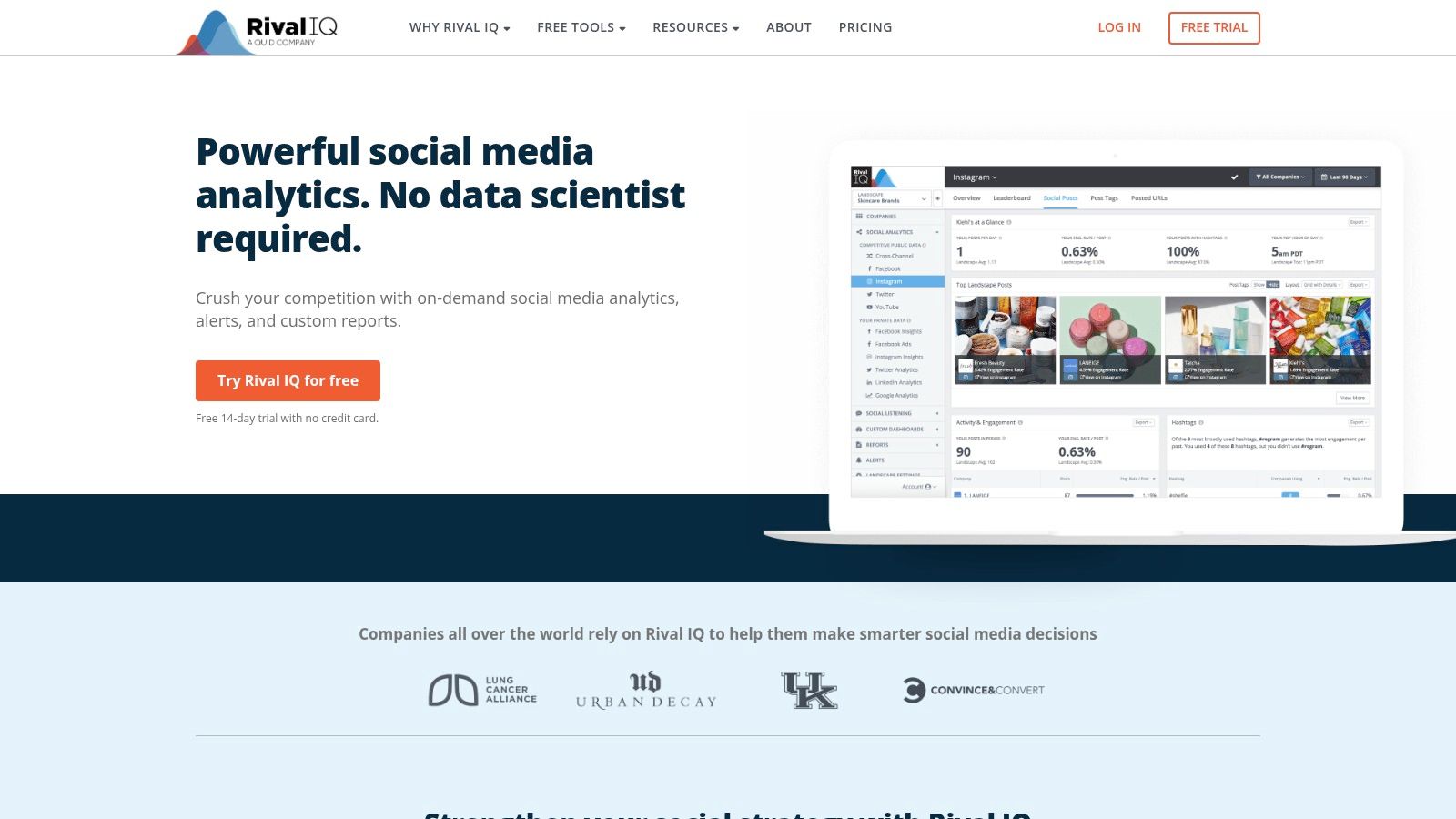
The value is consolidation, not specialization. If your team needs to track reach, engagement, and impressions across networks without opening separate native dashboards, Hootsuite reduces the reporting overhead. It also makes cross-network review easier when different stakeholders want the same numbers in one place.
Evaluation by decision criteria
For reach insight, Hootsuite works well as a roll-up layer. It gives analysts a practical way to compare post-level performance across multiple platforms, which is useful when the goal is quick visibility rather than channel-specific diagnosis.
For conversion measurement, it sits closer to reporting than attribution. It can support decisions, but it does not replace a workflow built to connect visits, replies, and follower growth. If conversion questions are tied to sudden visibility changes, first check whether the issue is content or delivery, and review why social media views drop before treating the report as a content problem.
For cross-platform comparison, the cross-network widget is the main reason to use it. The tradeoff is plan depth. Buyers should confirm whether they need the full analytics stack or only the roll-up view, since advanced functions usually sit in higher tiers.
That makes Hootsuite more useful for teams that want analytics and publishing in one environment than for analysts who only need post-performance comparison. It is a practical fit when reporting has to live alongside day-to-day social operations.
The broader market context supports that choice. Social analytics keeps growing because teams need to interpret data across fragmented workflows, not just collect it. Hootsuite addresses that consolidation problem directly.
7. Sprout Social
Sprout Social is the polished enterprise option for teams that need reporting, publishing, listening, and governance in one place. Its cross-network analytics and dedicated Threads Profiles Report make it appealing for in-house teams and agencies that need a dependable reporting stack with clear documentation (Sprout Social).
The main reason to pick Sprout is operational maturity. When leadership expects presentation-ready reports and the team needs structured workflows, Sprout is better suited than a lightweight analytics tool. It is also a strong choice if Threads matters in your reporting mix, because the dedicated Threads report gives it clearer coverage than many broader suites.
Fit for teams and governance
For reach insight, Sprout handles cross-network reporting well enough for leadership review and regular performance tracking. It's especially strong when teams want a consistent view across accounts and campaigns.
For conversion measurement, the platform can support the broader funnel because it combines publishing, engagement, and listening. Still, it's not a pre-publish prediction tool, so the user has to interpret how content might perform rather than receiving a forecasted range.
For cross-platform comparison, Sprout is one of the safer enterprise bets. It standardizes reporting in a way that suits large teams, and that matters because social analytics gets messy when different departments define success differently.
If your organization needs one reporting language across regions or teams, choose a system that can enforce that language consistently.
That principle is the reason to buy Sprout, not just the feature list. Pricing can escalate with advanced analytics and add-ons, so smaller teams may find it more tool than they need. Larger teams, especially those managing governance and stakeholder reporting, are the natural buyers.
Implementation should focus on whether your team needs brand-safe reporting, approval workflows, and a clear executive narrative. If so, Sprout is in the right category. If not, it can feel heavier than necessary.
8. Emplifi Social Marketing Cloud Unified Analytics
Emplifi is built for teams that care about unified analytics, especially when paid and organic reporting need to live together. The Social Marketing Cloud emphasizes configurable dashboards, automated exports, and paid analytics for cross-platform ad performance, which makes it a strong fit for midsize to enterprise organizations (Emplifi).
What separates Emplifi from mid-market tools is the way it treats analysis as a combined system rather than a set of separate reports. That matters when leadership wants to understand owned content and paid media side by side, because the context changes how performance gets interpreted.
Strongest practical uses
For reach insight, Emplifi gives teams a way to look at performance across channels with configurable dashboards. That is useful when the analytics process needs to be standardized for multiple stakeholders.
For conversion measurement, this is one of the better choices on the list because it includes paid analytics alongside owned performance. If your team needs to understand cross-platform ad metrics and social reporting in one environment, Emplifi is built for that.
For cross-platform comparison, the platform is strong because it sits in the unified-analytics category rather than the single-purpose reporting category. The tradeoff is cost. The listed plans start in the four-figure monthly range, so small teams should not treat it as a casual upgrade.
The most important implementation consideration is whether your organization is ready to use analytics as a decision layer, not just a display layer. Emplifi is good when the reporting model needs to scale with more users, more profiles, and more governance than a lightweight tool can reasonably handle.
I'd recommend it when the buying committee wants paid-and-organic visibility, presentation-ready outputs, and a more enterprise-shaped workflow. If those are the priorities, it belongs on the shortlist.
9. Brandwatch
Brandwatch is the research-grade option on this list because it combines consumer intelligence, owned analytics, and engagement in one ecosystem. Its structure makes sense for teams that need social listening plus post-level measurement, not just one or the other (Brandwatch).
That combination matters. A brand team might need to know what people are saying across the market, while also seeing how owned posts and paid activity are performing. Brandwatch is built to connect those layers, including documented Threads support in engagement workflows and unified measurement for Meta in its analytics stack.
When it earns the budget
For reach insight, Brandwatch is useful when reach has to be interpreted in the context of audience discussion and brand perception. It's stronger for strategic analysis than for simple channel reporting.
For conversion measurement, it is better suited to enterprise interpretation than quick operational dashboards. The power is in combining listening and owned analytics, which helps teams connect attention patterns to the campaigns they run.
For cross-platform comparison, it performs well because the ecosystem is designed for analysis across multiple data types. That said, the buying motion is enterprise-led, so pricing isn't publicly listed and procurement can take longer.
If your team works in a category where reputation, audience intelligence, and channel analytics all matter at once, Brandwatch can pull those threads together. If you only need weekly social reporting, it may be too much platform for the job.
One implementation check is integration. Brandwatch's APIs make it easier to move owned analytics and consumer intelligence into BI tools, which is important if your organization already reports in a broader data environment. That makes it particularly attractive for teams that want social to sit inside a larger analytics stack rather than remain isolated.
10. Talkwalker
Talkwalker is built for global monitoring, brand health, and enterprise-grade reputation work. Its social listening and analytics platform includes paid social add-ons, AI-assisted insights, and a clearer fit for PR and marketing teams that need broad monitoring rather than just channel reporting (Talkwalker).
For a buyer who cares about what's being said across channels, Talkwalker is strong. It's also useful when governance matters, because enterprise buyers usually care as much about process and usage guidance as they do about dashboards.
Best fit and tradeoffs
For reach insight, Talkwalker is less about publisher-style reach and more about monitoring the market conversation around a brand. That makes it valuable for reputation management and issue detection.
For conversion measurement, it is not the most direct tool for follower growth or creator-style publishing optimization. Its value comes from broader monitoring and the ability to tie social signals back to strategic marketing decisions.
For cross-platform comparison, Talkwalker is solid at enterprise scale because it is designed for multi-channel insight. The limitation is cost and complexity. Smaller teams may find the setup and sales-led buying motion heavier than they need.
A simple way to position it is this, choose Talkwalker when reputation, crisis awareness, and broad social intelligence are central to the job. Choose a lighter analytics platform when you mainly need owned-channel reporting.
The implementation consideration is training. Enterprise listening platforms work best when teams know how to define topics, monitor change, and interpret patterns consistently. Without that discipline, the data is impressive but not especially actionable.
Top 10 Social Media Analytics Tools Comparison
| Product | Core focus / Key features | UX & quality metrics | Unique value / Differentiator | Best for / Target audience | Pricing |
|---|---|---|---|---|---|
| Yubook | Pre-publish draft analysis, AI-assisted drafting, one-click X+Threads publishing, performance replay | Browser-based Draft Studio (typing stays local); cookieless visit counting; bilingual (EN/KR) | Explainable probability forecasts, reply-target queue that prioritizes conversation, unified publish→learn workflow | Independent creators, founder-led teams, social/growth marketers, newsletter writers | $9.90/week or $249/year (Paddle) |
| Metricool | Social analytics + scheduling; Threads multi-post publishing | Unlimited analytics history on paid plans; fast setup | Strong value per brand; native Threads publishing + reports | Solo creators, lean teams, small agencies | Competitive per-brand pricing; tiered plans |
| Iconosquare | Deep profile & promoted-post analytics across networks incl. Threads | Detailed reporting; good documentation | Paid/post-level analytics for Instagram; agency reporting | SMBs, brands, agencies needing post-level insights | Affordable analytics plans (tiered) |
| Rival IQ | Competitive benchmarking, hashtag/topic analysis, estimated impressions | Analyst-friendly exports and dashboards | Rapid competitor comparisons, custom charts, alerts | Competitor research, executive reporting, market analysts | Transparent published pricing |
| Socialinsider | Competitive + owned-profile analytics, templated reporting, API | Real-time refreshed metrics; easy shareable reports | Per-profile pricing that scales for agencies; fast client reporting | Agencies and multi-brand teams | Budget-friendly per-profile pricing |
| Hootsuite Analytics | Cross-network post roll-ups; advanced analytics controls | Consolidates KPIs across networks; comprehensive docs | Cross-network post table for easy comparisons | Teams consolidating social KPIs and reporting | Higher tiers/add-ons for advanced features |
| Sprout Social | End-to-end social management: publish, engage, listen, analytics | Mature reporting; governance and admin controls | Dedicated Threads Profiles Report; robust BI-ready reports | In-house social teams, agencies, enterprise | Enterprise pricing; higher for advanced analytics |
| Emplifi | Unified owned + paid analytics; AI-assisted insights | Configurable dashboards; automated exports | Deep paid+organic unification; seat-agnostic enterprise tiers | Midsize to enterprise marketing teams | Four-figure monthly starting prices |
| Brandwatch | Research-grade listening + owned analytics; BI integrations | Massive listening corpus; advanced audience insights | Combines consumer intelligence with channel analytics | Enterprise research, PR, product teams | Sales-led enterprise pricing |
| Talkwalker | Enterprise listening, brand/reputation analytics, AI insights | SLAs, global monitoring, PR-focused dashboards | Strong brand health tracking and paid social add-ons | Global PR, brand teams, large marketing orgs | Sales-led; enterprise-focused plans |
Match the Tool to the Decision You Need to Make
Start with the decision, not the product category. If your biggest problem is what should I publish next, and how likely is it to reach the right people, Yubook is the clearest fit because it ties drafting, forecast ranges, and follower conversion into one publish→learn workflow. If your job is broader owned-channel reporting across many networks, a multi-network analytics platform like Metricool, Iconosquare, Hootsuite Analytics, or Sprout Social is usually the better foundation because those tools are built to compare performance after publishing rather than before it.
Choose competitive tools when the question is relative performance. Rival IQ and Socialinsider make sense when competitor benchmarks, industry context, or fast reporting decks are the priority. Choose listening and enterprise unified suites when the job expands into brand perception, paid media, governance, or BI integration, which is where Brandwatch, Talkwalker, and Emplifi become more relevant than a creator-focused publisher.
The selection sequence should be practical. Test one recurring workflow, either a weekly content review, a client report, or a founder-led publishing cycle. Define the primary outcome beyond impressions, such as reach quality, follow conversion, or paid-plus-organic consistency. Then verify network coverage and tier limits before you commit, because the wrong plan can make a good tool look weak. Finally, compare whether the platform helps your team act on the data, not just display it.
Social media analytics works best when it changes behavior. A dashboard that looks polished but doesn't improve what you publish, how you benchmark, or how you report is still just a dashboard. The strongest tool is the one that fits the decision you need to make next, and the workflow you'll repeat after that.
If you're focused on X and Threads publishing intelligence, Yubook gives you a way to shape drafts before you post, forecast likely reach, and connect attention to follower conversion. It's a strong fit for creators and teams that want measurable learning from every publish cycle, not just another reporting screen. Visit the product, try the workflow, and see whether pre-publish guidance changes how your social media analytics tool stack performs.